◌
Detect questions as they happen
Follow the interviewer’s question in the live transcript and see a suggested answer while the conversation is moving.
Real-Time AI Interview Assistant
Hear the interviewer’s question in the live transcript and get a spoken-style answer shaped by your resume, job description and role. MAAI helps you stay composed in technical interviews, HR interviews and behavioral questions—and supports meetings as a secondary use case.
Get 15 minutes of meeting assistance free every day. No payment required.
“In my work supporting production environments on large Linux and VMware estates, I follow the same approach whenever an outage hits. First, I confirm the impact and the scope: which services and users are affected, and when it started. I get the right people on a bridge call and set one clear owner for communication, so the business gets regular updates while the technical team stays focused. Then I work toward restoring service before finding the root cause. I check recent changes, deployments and patches first, since those are the most common culprits. If a change caused it, I roll it back through our release tooling. Otherwise I check monitoring, logs, and the system resources behind the failing component. Once service is back, I verify it end to end and keep watching it for a while.”
Built for the live conversation
MAAI listens to the interviewer’s question, follows the transcript, and uses the profile context you provide to prepare a concise spoken-style answer.
Follow the interviewer’s question in the live transcript and see a suggested answer while the conversation is moving.
Your resume, position applied for, job description and speaking style help shape answers around your experience.
Behavioral questions get a brief STAR structure; technical questions lead with the direct answer, then add a short explanation.
Use session context during the interview, then review a recap saved after you end the session.
Use MAAI in Chrome or in the Windows overlay, with the transcript and latest answer available together.
Answers draw only from the resume and job context you provide, so they do not add qualifications or experience that are not yours.
Simple, per-user pricing
Every plan works in the MAAI browser workspace and Windows overlay. Lite and Pro are one-time purchases with a 30-day validity and no automatic renewal.
Lite and Pro time is added after Cashfree confirms payment. Paid time is used after that day’s free allowance. See the Refund and Cancellation Policy.
How it works
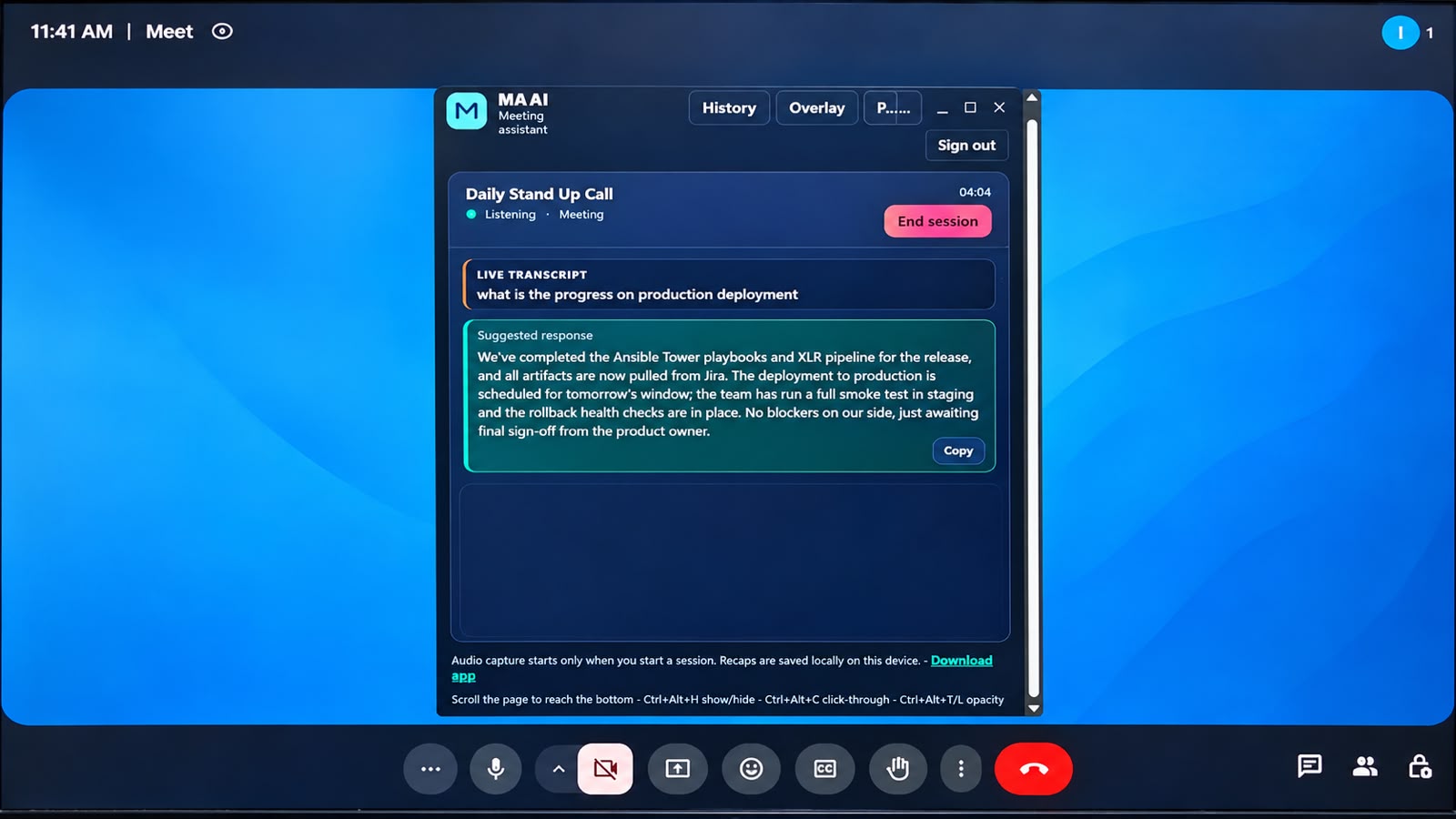
Use MAAI in your browser or in the Windows overlay app. Both show the live transcript and the latest suggested answer together.
Use cases
Get direct technical answers first, then a brief explanation grounded in the experience you added to your profile.
Turn saved responsibilities and outcomes into a concise STAR-style response for commonly asked examples.
Follow the conversation and prepare prompts for project questions, decisions and follow-ups.
Keep the live transcript and useful response suggestions visible during everyday team conversations.
Common questions
No raw recordings are stored as session audio. Captured audio is sent for transcription and AI-generated suggestions, and session recaps are saved locally on the device where you use MAAI. Review the Privacy Policy for details.
MAAI supports audio from meeting windows or tabs that provide it, including Webex, Google Meet and Zoom. Browser use requires Chrome tab audio sharing; the Windows app can capture a selected window or entire screen.
Add your resume, position applied for, job description and preferred speaking style in Profile. You should also confirm that AI assistance is allowed by the interview rules.
Eligible standard accounts receive 15 minutes per UTC calendar day at no charge. Free usage is subject to account status and availability.
Lite is ₹99 for 60 minutes and Pro is ₹999 for 600 minutes; both are one-time purchases valid for 30 days. Business is custom for teams of at least three users on a six-month term.
On compatible Windows setups, MAAI is configured to exclude its overlay from screen capture. Behavior depends on the operating system and meeting app, so verify this with a test share before an interview or meeting.
Request an account from the account page. Account requests are reviewed and approved manually.
Tell us about your team or interview workflow and we’ll arrange a personal walkthrough.
Request an account and our team will review your access request.